Upgrading our older vehicles has never been easier, thanks to innovative solutions like CarPlay Zlink. This key enhancement for 2024 allows us to breathe new life into our cars, enabling access to popular features such as Apple CarPlay and Android Auto. To effectively unlock these capabilities, we can utilize a variety of software and hardware options.
On the software side, we have several choices, including Zlink, WheelPal, CarBridge, and NGX Player to enhance our driving experience. For those who prefer hardware solutions, options like the Carlinkit AI T Box and various wireless adapters can seamlessly connect our cars to modern technology. These tools make it possible for us to enjoy the benefits of a new car without the need to buy one.
Software Solutions
What is Carplay Zlink?
Carplay Zlink is an app that allows users to run Android Auto and Apple CarPlay on compatible car head units. Once connected wirelessly, it enables access to popular apps like YouTube, Netflix, iMessage, and Spotify. To use this app, however, we must root or jailbreak our devices, as it does not come with native support. For those looking for alternatives that enhance the driving experience, we offer various solutions tailored to our needs.
WheelPal
Due to security measures, Apple limits certain applications within the standard setup. WheelPal provides a way to install any app we wish to use with CarPlay, including YouTube and Netflix. This makes WheelPal a viable alternative to Carplay Zlink.
CarBridge
CarBridge is an excellent option for both iOS and Android users. It allows access to numerous apps on CarPlay. For those of us comfortable with jailbreaking our devices, this software stands out as a strong choice for expanding our app usage while driving.
NGX Player
NGX Player is another software solution that works with Carplay Zlink. Like CarBridge, it requires jailbreaking our device to install. The downloading process is straightforward, offering an enjoyable in-car experience with a range of features ready for us to explore.
Hardware Solutions
Carlinkit AI T Box
We recognize the Carlinkit AI T Box as a top choice for enhancing CarPlay functionality. This device empowers us to use non-stock applications on our CarPlay systems across a variety of smartphones.
Features
- Device Compatibility: Works with iPhone models from 6s to the latest 16 series.
- Car Compatibility: Designed for vehicles with built-in CarPlay features.
- Video Streaming: Allows us to stream content from platforms like YouTube, Netflix, and Hulu.
- Connection Options: Connects via Bluetooth and Wi-Fi for flexible use.
- iOS Support: Compatible with iOS versions ranging from 10 to 17.
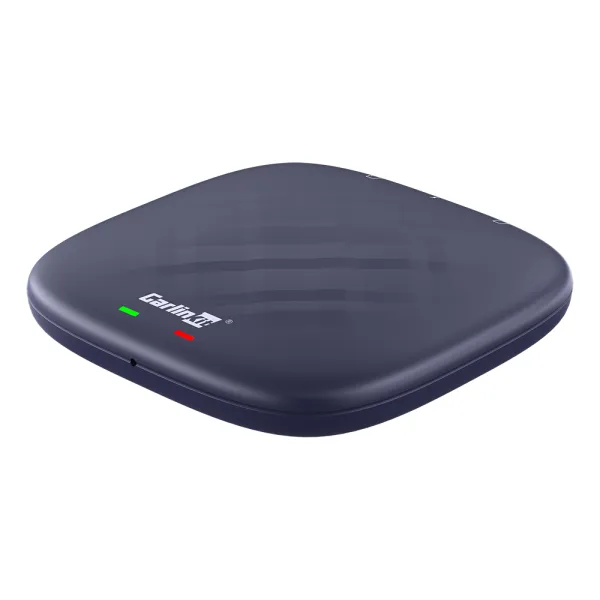
Carlinkit Wireless AI Box CarPlay Adapter
Features
We find that the Carlinkit Wireless AI Box is a reliable choice for users seeking to utilize Apple CarPlay ZLink without the need for jailbreaking. This adapter allows us to easily access video streaming platforms like Netflix, YouTube, and Hulu.
- Compatibility: Works seamlessly with iOS versions from 10 to 17 and has even been tested for iOS 18.
- Device Range: Supports devices from iOS 6S through the 16 series.
- Connections: Offers both Bluetooth and Wi-Fi connectivity for a smooth experience.
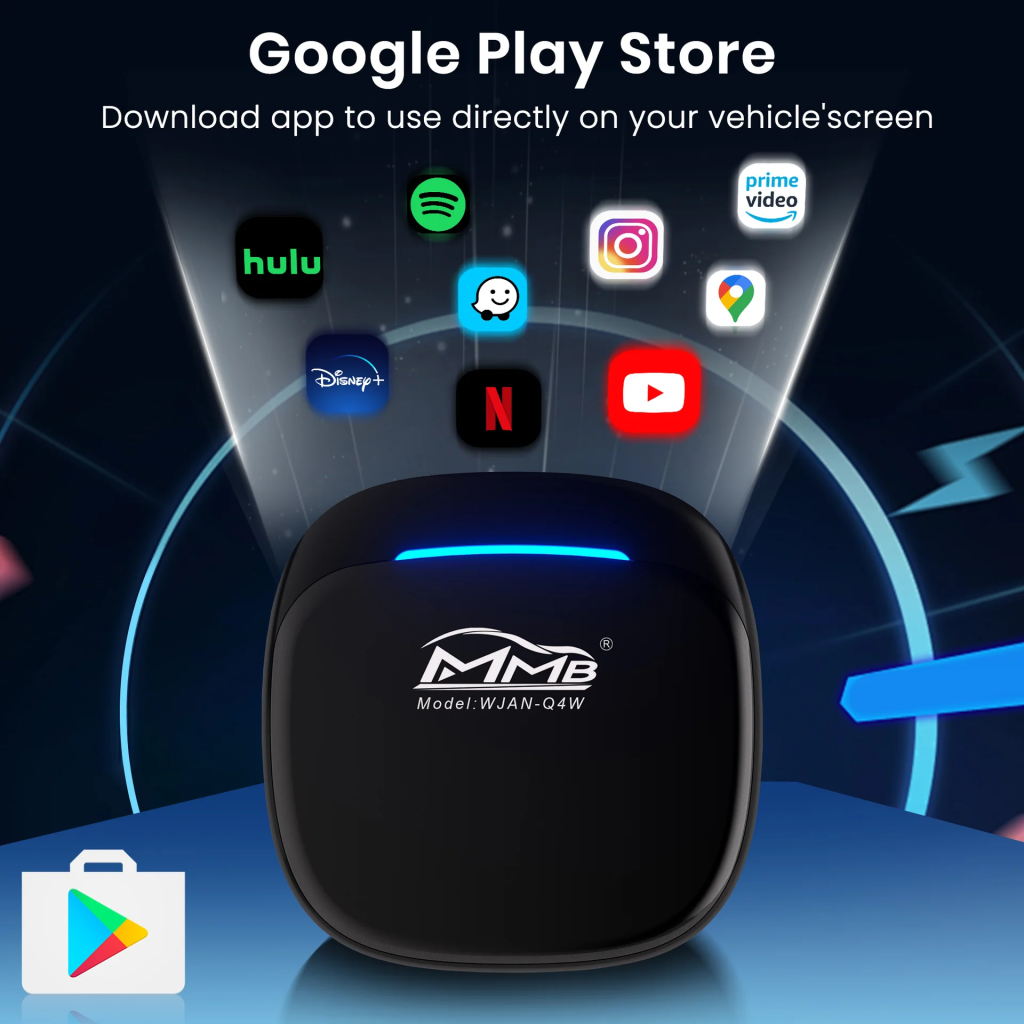
MMB Ai Box Wireless Carplay Adapter
Features
The MMB Ai Box enhances our Carplay experience by allowing us to access a variety of entertainment platforms.
- Supports Multiple Platforms: We can connect to various streaming services.
- Video Streaming: It enables us to watch videos on YouTube, Netflix, Hulu, and more.
- App Installation: We have the ability to install popular apps like Spotify and Disney.
- Simple Setup: The installation process is user-friendly, making it easy for us to get started.
What Are the Benefits of Carplay Zlink?
With Carplay Zlink, we gain numerous advantages, making our driving experience more enjoyable and efficient.
- Mobile App Integration: Carplay Zlink enables seamless access to essential mobile applications. This includes tools for messaging, phone calls, music, podcasts, and a variety of popular third-party apps.
- Enhanced Viewing Quality: The installation of Carplay Zlink provides us with HD-quality visuals. For those who appreciate streaming platforms like YouTube, Netflix, or Hulu, integrating this system elevates our in-car entertainment options significantly.
- Simple Connection Methods: Connecting Carplay Zlink is straightforward. We can use Bluetooth, WiFi, or USB cables to establish a connection effortlessly.
- Diverse Entertainment Choices: By utilizing mobile apps through Carplay Zlink, we can easily access a wide array of entertainment. Streaming our favorite shows and movies via platforms like YouTube and Netflix becomes a hassle-free experience.
- User-Friendly Setup: Setting up Carplay Zlink is uncomplicated, whether we choose a wireless or wired connection. This means we can have our system up and running quickly without any technical difficulties.
These adapters are designed to enhance both Android and Apple users’ experiences. They offer a fantastic opportunity to modernize older vehicles, providing access to a wealth of streaming platforms like YouTube, Netflix, and Hulu. If we need assistance in selecting the right adapter, our CarPlay hack shop can guide us in finding the perfect fit.
Final Thoughts
Many of us cherish our older cars and seek ways to modernize them. Upgrading to Android or Apple CarPlay Zlink allows us to access various apps. This enhancement can significantly improve our driving experience, making our journeys more enjoyable and connected with the latest technology.
FAQs
Is Zlink Compatible with Apple CarPlay?
Yes, Zlink is compatible with Apple CarPlay. It offers impressive performance to enhance the in-car experience for both Android and Apple users.
Where Can We Download Zlink?
Downloading Zlink is straightforward. We can obtain the Zlink APK from platforms like APKcombo or Uptodown. After downloading, we just need to follow the provided instructions to connect to the latest version of Zlink CarPlay.
How Do We Reset Zlink CarPlay?
To reset Zlink CarPlay, we should access the Bluetooth settings on our mobile device and confirm that the head unit shows as connected. Next, we locate the “RESET” option within the app. After tapping it, we wait for the unit to restart and ensure we remain connected to Bluetooth before trying Zlink again.
What Is the Most Recent Version of Zlink?
The most recent version of Zlink available for Android devices is 5.4.47. Updating allows us to access new features and improvements.
Frequently Asked Questions
How do we set up CarPlay with Zlink in our vehicle?
To install CarPlay using Zlink, we need to connect our smartphone to the Zlink-enabled unit in our vehicle. This typically involves downloading the Zlink app on our head unit and following the on-screen prompts to pair our device.
What do we need to do to get CarPlay working on Zlink?
To get CarPlay functioning, we must ensure that the Zlink app is installed and up to date. After connecting our phone via USB or Bluetooth, we should check that the CarPlay feature is enabled in the app settings. We may also want to verify our phone’s Bluetooth and USB settings.
Is the Zlink app accessible for download on the Play Store?
Yes, we can find the Zlink application available for download on the Play Store. By searching for “Zlink,” we can easily install it on our devices.
What steps should we take if Zlink CarPlay isn’t operational?
If we experience issues with Zlink CarPlay, we should first check our Bluetooth connection and ensure our smartphones are paired correctly. Restarting both the vehicle’s unit and our smartphone can help resolve many common problems. Checking for updates to the Zlink app is also advisable.
How do we link an iPhone to Zlink CarPlay?
To connect an iPhone to Zlink CarPlay, we should use a USB cable to link our device to the car’s unit. After connecting, we need to select the CarPlay option on our iPhone and grant any necessary permissions.
Can we utilize Zlink CarPlay with Android devices, and how do we do it?
Yes, Zlink CarPlay can be used with Android devices. To connect, we need to download the Zlink app and follow similar steps as we do for iPhones, ensuring that our device is properly paired and permissions are granted to use the features.