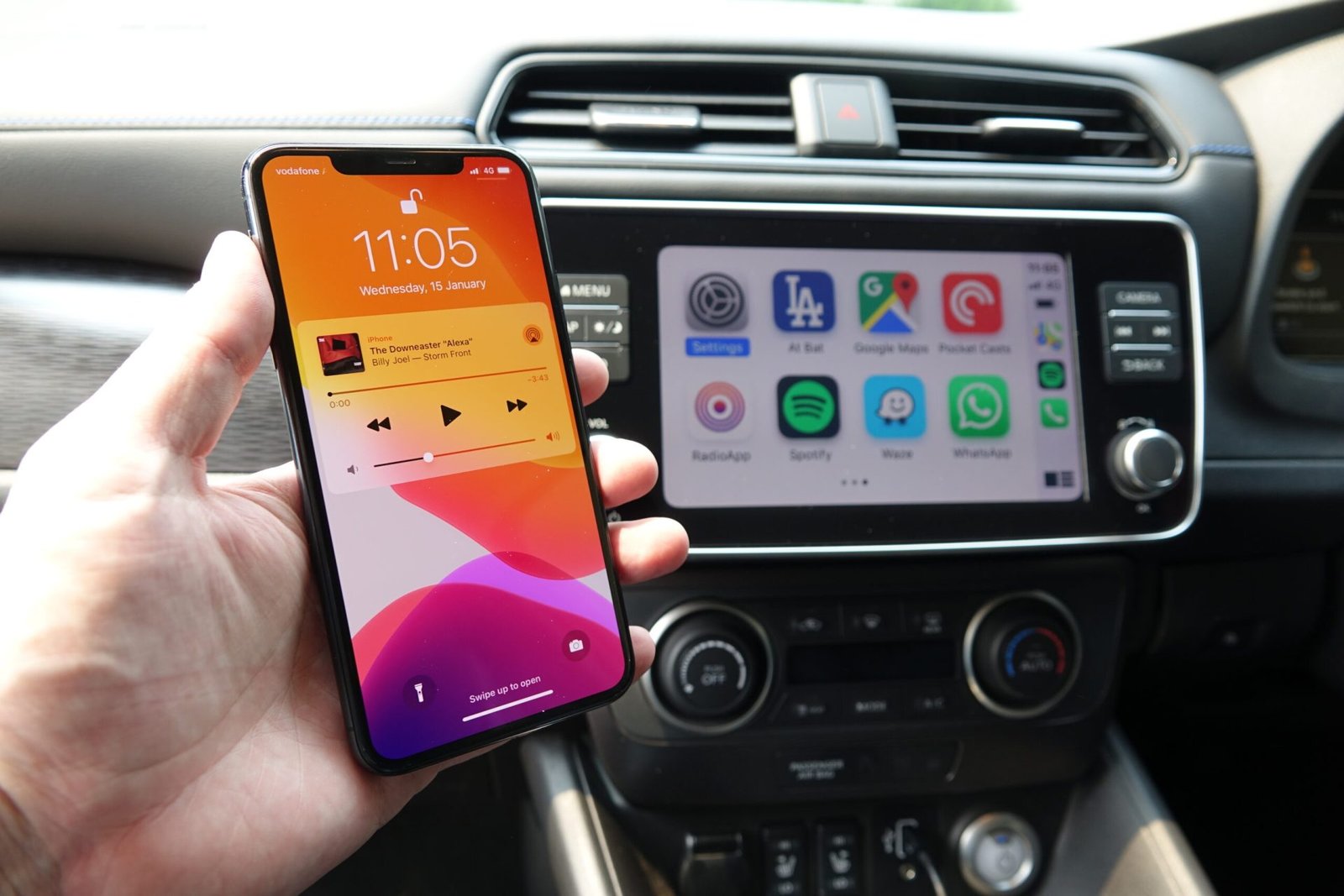

Many of us enjoy staying connected on Twitter, especially during times when information is vital. The pandemic has highlighted the need for immediate access to updates, whether they are from public figures or breaking news. Being able to engage with these messages while on the road would certainly enhance our driving experience.
While Twitter is not a built-in feature of CarPlay, we can explore reliable methods to make it accessible in our vehicles. There are options available to either install Twitter directly on CarPlay or utilize alternative apps that function similarly. We will outline various software and hardware solutions, including those that require jailbreak and those that do not, to help us enjoy Twitter seamlessly while driving.
How to Install Twitter on CarPlay?
Install CarPlay Twitter iOS 14
To set up Twitter on CarPlay for iOS 14, we must first determine if our device can be jailbroken. Those using iPhone models newer than the iPhone X may face some challenges. Thankfully, the Checkra1n tool can help us jailbreak our devices using a PC.
- Begin by downloading the WheelPal app from the official website.
- Follow through the installation prompts until it’s fully set up.
- After installation, WheelPal will check our device’s compatibility. If it identifies that a PC tool is necessary, we will receive detailed instructions via email.
This method requires the use of jailbreaking, which lets us bypass standard restrictions set by Apple, giving us access to Twitter on our CarPlay system.
Install CarPlay Twitter iOS 15
With the release of iOS 15, we find ourselves in a waiting period due to the lack of available jailbreak tools compatible with this version. Until a solution comes up, we can still access Twitter using a CarPlay simulator like the InCar app, which works well with any iOS version.
Fortunately, there’s good news for iOS 15 users. The jailbreak team known as Odyssey has announced that they plan to launch a jailbreak tool named Cheyote for iOS 15 and iOS 15.1. This tool will pave the way for us to integrate Twitter into our CarPlay system, making it easier to use favorite apps while driving.
Install CarPlay Twitter iOS 16 – iOS 17
As we approach the end of 2024, we observe that for both iOS 16 and iOS 17, we still need to jailbreak our devices to add apps like Twitter to CarPlay. Currently, the process remains the same: obtaining a jailbreak tool is necessary to sideload Twitter successfully.
Following the release of iOS 16, developers are busy working on tools for iOS 17 as well. While we await these developments, we cannot access Twitter directly through CarPlay. However, it’s worth noting that beta versions for iOS 18 have surfaced, indicating that more advancements are on the horizon.
Summary Table of Steps for Each iOS Version
| iOS Version | Steps | Notes |
| iOS 14 | – Download WheelPal- Install and check compatibility- Use Checkra1n if required | Jailbreaking needed |
| iOS 15 | – Use InCar app for temporary access- Await Cheyote jailbreak tool | Jailbreak expected soon |
| iOS 16-17 | – Need to jailbreak for installation- Monitor for new jailbreak tools | iOS 18 in beta |
We can explore multiple apps via WheelPal, not just Twitter. This app allows us to add streaming services and communication tools to our CarPlay setup, enhancing our driving experience and keeping us connected on the road.
It’s essential to remain informed about the latest jailbreak developments and app compatibility. Whether we are looking to watch videos, listen to music, or communicate while driving, these options enable a more versatile use of our CarPlay functionalities.
Reasons to Install the Twitter App for CarPlay
Using Twitter on CarPlay enhances our driving experience by keeping us informed. We can access news, updates, and trending topics directly on the CarPlay screen, making it easy to stay connected.
While at a stop or in traffic, we can quickly engage with tweets, retweet, or reply to discussions. This convenience allows us to make the most of our time on the road safely and efficiently.
Add Any App Without Jailbreak
1. Carlinkit Wireless CarPlay Adapter

Carlinkit is known for its reliable wireless CarPlay adapters. This device enables us to stream DRM content such as Netflix, YouTube, and TikTok directly through Apple CarPlay. If we enjoy video content while on the road, Carlinkit is a great pick.
Features:
- Supports video streaming from YouTube, Netflix, and TikTok.
- Compatible with vehicles that have built-in CarPlay.
- Simple connection process after the initial setup.
- Works with iPhone 6s and newer models.
- Compatible with iOS 10 to iOS 18, including all subversions.

Another excellent option is the MMB CarPlay adapter, which also allows us to use any app on Apple CarPlay, including our favorite video streaming platforms. It provides easy connectivity and is designed for user-friendliness.
Features:
- Enables access to video content like YouTube, Netflix, and TikTok.
- Supports iPhones from iPhone 6s to the iPhone 16 series.
- User-friendly design for easy handling.
- Wi-Fi connectivity for seamless connection with Apple CarPlay.
3. Carlinkit Tbox UHD Android 13 CarPlay AI Box with HD Output

The Carlinkit TBox is another top choice among wireless CarPlay adapters. Like its counterparts, it supports streaming DRM content, making it ideal for those looking to enjoy videos while driving.
Features:
- Supports video streaming for apps like YouTube, Netflix, and TikTok.
- Compatible with vehicles that include built-in CarPlay.
- User-friendly with a straightforward connection after setup.
- Works with iPhone 6s and newer versions.
- Compatible with iOS 10 to iOS 18, including subversions.
For navigation needs, we might explore Sygic and Waze apps, both of which work well with Apple CarPlay. Keep an eye out for more updates about Apple CarPlay and Android Auto as we continue to enhance our in-car experience.
Final Thoughts
While we appreciate the need for safety when driving, we also recognize that there are times when using Twitter can enhance our driving experience. Since Apple restricts Twitter on CarPlay by default to minimize distractions, it’s crucial to prioritize our safety. For those of us who can manage it responsibly, we recommend using NGXPlay or CarBridge through the WheelPal app. This allows us to access Twitter and other social media apps on CarPlay safely. Drive smartly and enjoy your ride!
Frequently Asked Questions
What is the ‘Get in the car’ meme from Twitter?
The ‘Get in the car‘ meme is a popular format that emerged from Twitter. It typically involves a humorous or dramatic scenario where someone urges another person to get into a vehicle. The phrase is often used to convey urgency or excitement, sometimes paired with an image or a video that enhances the message.
How did the ‘Get in the car’ trend start on Twitter?
This trend began as users started creating and sharing content that referenced the phrase. It quickly gained traction as users found creative ways to incorporate it into various contexts, leading to a wave of posts and retweets that helped it spread throughout the platform.
What are some notable examples of the ‘Get in the car’ memes?
Some well-known examples include posts that humorously depict situations where friends are hurrying to an event or when someone is being persuaded to leave a bad situation. These variations often showcase funny images or relatable situations that resonate with a wide audience.
Has the ‘Get in the car’ trend spread to platforms like TikTok?
Yes, the ‘Get in the car’ trend has successfully migrated to other social media platforms, including TikTok. Users on TikTok often create short videos that play off the original meme, adding their own flair through acting, music, and visuals.
Are there any celebrities or influencers who have added to the ‘Get in the car’ trend’s popularity?
Several celebrities and influencers have contributed to the trend by sharing their own takes or participating in the meme. Their involvement has helped propel it into mainstream culture, increasing visibility and engagement across various audiences.
What are some parodies or variations of the ‘Get in the car’ meme found on social media?
We can find a variety of parodies and adaptations that play with the original concept. Some may involve switching the context entirely, while others may exaggerate the drama or humor of the situation. These creative spins add to the richness of the meme, showcasing the creativity of users across different platforms.