Why Netflix Doesn’t Work on Apple CarPlay by Default
Most built-in infotainment systems are useful, but often very limited.
Apple CarPlay supports navigation, calls, music, and a small collection of approved apps — but video-streaming platforms such as Netflix, YouTube, or Disney+ are intentionally blocked.
This restriction is meant to reduce driver distraction, but it creates problems if:
- your children need entertainment during long road trips,
- you’re charging your EV and want something to watch,
- or you simply want a true multimedia experience in your vehicle.
This is where CarPlay AI Boxes come in. These small devices transform your vehicle’s CarPlay port into a complete Android system.
And among them, the Carlinkit Tbox Multimedia VideoBox Series is one of the leading solutions.
What Is a CarPlay AI Box – and What Does It Do?
The products in the Carlinkit Tbox Multimedia VideoBox category are intelligent plug-and-play adapters that operate through the vehicle’s original USB CarPlay connection.
Nothing in your car needs to be removed or replaced. Instead:
- The car boots normally.
- Once connected, the AI Box displays a full Android system on your factory screen.
- You can install apps, stream videos, and switch to wireless CarPlay or wireless Android Auto at any time.
Important compatibility note:
The device only works in cars equipped with wired Apple CarPlay or wired Android Auto from the factory.
🚫 Tesla and BMW vehicles are not supported.
✔️ Compatible with most other brands: VW, Mercedes, Audi, Ford, Toyota, Honda, Nissan, Renault, Opel, and many more.
Why We Recommend the Carlinkit TBox Plus
Among all Tbox models, the Carlinkit TBox Plus is especially impressive — particularly for heavy streaming use such as Netflix and YouTube.
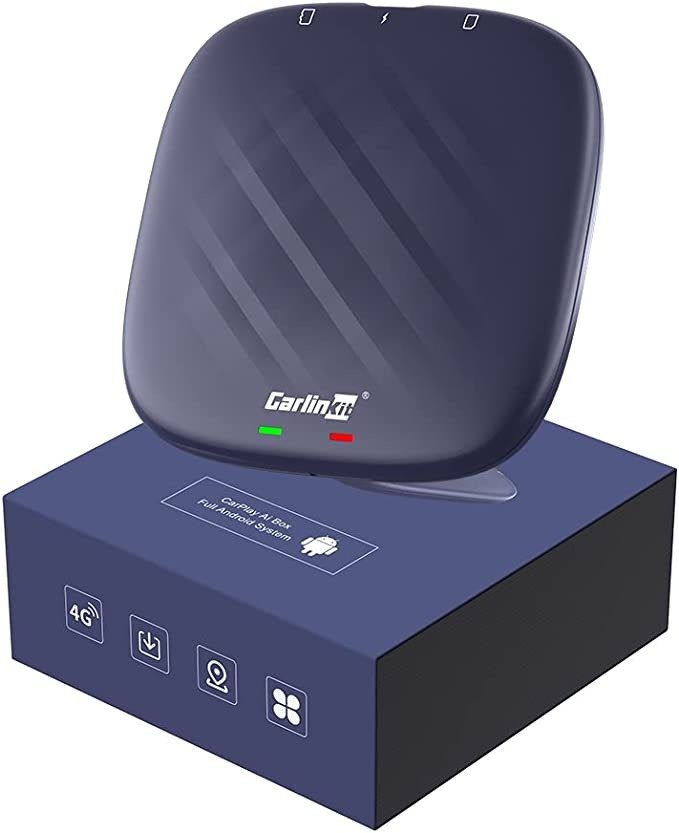
High Performance With a Qualcomm 8-Core Processor
The TBox Plus uses a Qualcomm Snapdragon 8-core processor equipped with the Snapdragon QCM6125 chip, designed for smooth Android operation.
This ensures:
- lag-free streaming
- quick app launches
- stable navigation
- minimal load times
All of which is essential for video playback.
Android 13 – Stable, Modern, and Future-Ready
With Android 13 built in, you get:
- access to countless apps
- improved security
- a clean and modern interface
- excellent compatibility with all major streaming platforms
You may install apps via Google Play Store or download them via browser (APK).
Large Storage Options: 4 GB RAM + 64 GB / 8 GB RAM + 128 GB
Generous memory means:
- smooth multitasking
- enough space for apps, downloads, and cached video
- ideal for storing Netflix episodes for offline viewing
Dual-Band WiFi + Bluetooth 5.0
For uninterrupted video streaming, a stable connection is crucial.
The TBox Plus supports:
- 2.4G & 5.8G WiFi
- Bluetooth 5.0
This ensures fast network performance, whether using a phone hotspot or your car’s built-in WiFi.
Built-In GPS Module
Thanks to the integrated GPS chip, you can:
- navigate directly within the Android system
- use apps such as Google Maps, Waze, or Here WeGo without relying on your smartphone
This makes the device a full Android navigation system inside your car.
Why the TBox Plus Is Ideal for Netflix
- Powerful processor → smooth playback
- Large memory → store shows and movies offline
- Android 13 → strong app compatibility
- Fast WiFi → no interruptions
In short, the TBox Plus is designed for exactly this type of media use.
How to Set Up Netflix on the Carlinkit TBox Plus (Step by Step)
One of the biggest advantages of the TBox Plus is how easy it is to install.
Step 1: Plug in the AI Box
- Insert the TBox Plus into the USB CarPlay port.
- The Android interface appears within seconds.
No tools or modifications needed—completely plug-and-play.
Step 2: Connect to the Internet
- Turn on your smartphone hotspot.
- In the TBox WiFi settings, connect to that hotspot.
For smooth streaming, 5 GHz WiFi is recommended.
Step 3: Install Netflix
You have two installation options:
Option A – Google Play Store
- Open the Play Store
- Search for Netflix
- Install the app
- Sign in with your account
Option B – Install via APK
- Open the browser
- Download the official Netflix APK
- Install and launch the app
Step 4: Start Streaming
Once installed:
- launch Netflix
- choose your profile
- enjoy movies & shows
- download content for offline viewing if you want
Other Video Apps You Can Use
You can install nearly any Android-compatible video platform, including:
- YouTube / YouTube Vanced / CarStream
- Disney+
- Prime Video
- Twitch
- Plex / Kodi
This effectively turns your car screen into a full entertainment center.
FAQ
Can I switch back to normal CarPlay?
Yes — with one tap you can switch to wireless CarPlay or wireless Android Auto.
Do I need a smartphone?
Only to provide an internet hotspot.
The AI Box itself operates independently once connected.
Conclusion: TBox Plus Is the Best Way to Watch Netflix in Your Car
The Carlinkit TBox Plus provides:
- a complete Android experience inside your vehicle
- excellent performance for Netflix, YouTube, and more
- easy installation
- broad compatibility
- large memory
- modern Android 13 software
If you want to upgrade your car’s multimedia system without replacing your factory screen, the Carlinkit TBox Plus is one of the most effective and user-friendly solutions available.