Today, cars are increasingly becoming digital hubs—for navigation, music, and entertainment. Apple CarPlay has established itself as the standard for easily bringing iPhone features to your vehicle’s display. With CarPlay, you can send messages, listen to music, make calls, or use navigation apps safely from your car’s screen.
However, when it comes to video streaming, such as Netflix, CarPlay has its limitations. The native CarPlay interface does not allow movies or series to be played while driving. This can be inconvenient, especially for commuters or long-distance drivers who want to use breaks for entertainment.
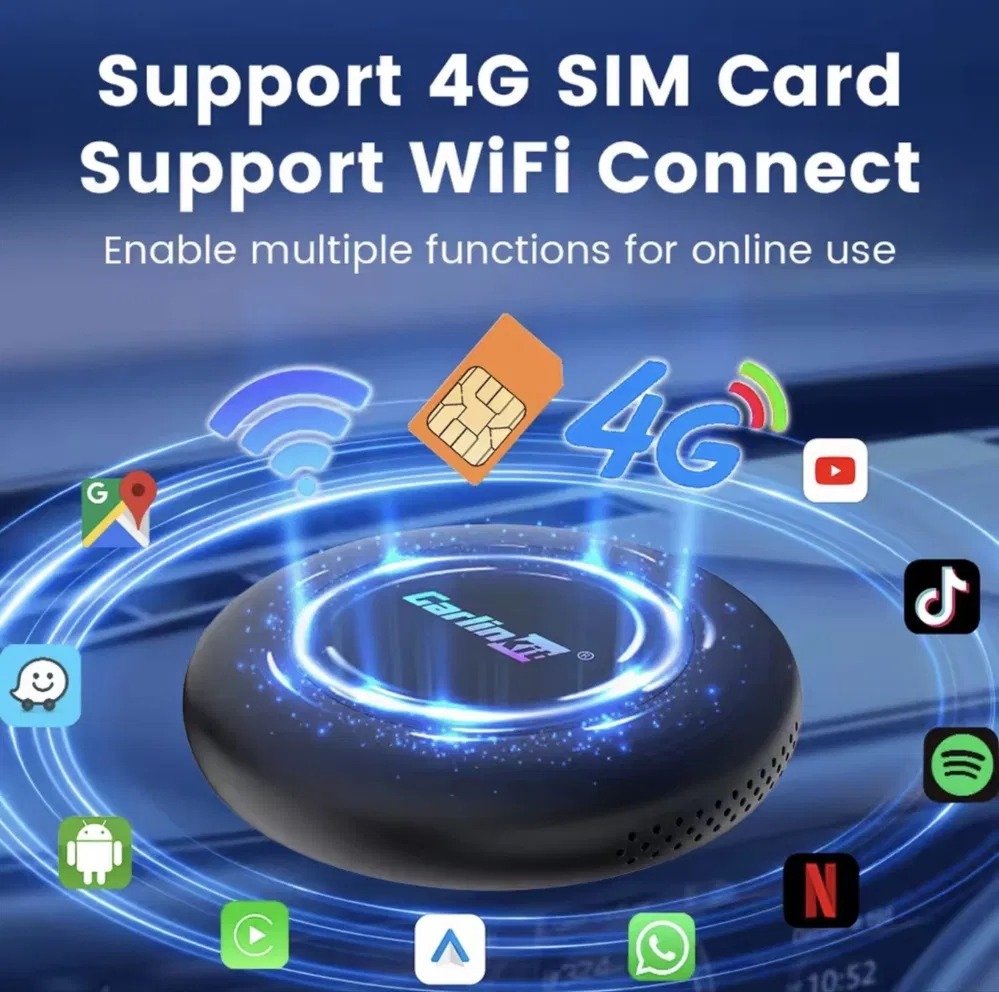
Fortunately, there are innovative solutions like Carlinkit TBox Plus and TBox Ultra 2. These smart boxes expand the functionality of CarPlay and Android Auto, allowing you to use your favorite apps, such as Netflix, YouTube, or Prime Video, even on the go, providing a true multimedia experience in your car.
In this article, we explain how to use Netflix on Apple CarPlay, compare the two products, and present exclusive benefits available through our store.
Why Use Netflix on Apple CarPlay?
Streaming Netflix on the go sounds appealing, but safety is paramount. Movies and series should only be watched when the car is parked or during a break—never while driving. This ensures your safety and helps avoid potential legal issues.
Still, the benefits of such a system are significant:
- Entertainment during long-trip breaks: Instead of being bored at rest stops, you can enjoy your favorite series.
- Direct access to movies and series: Everything runs conveniently on the car display without needing a tablet or smartphone.
- Integration with multiple apps: In addition to Netflix, you can install and use YouTube, Prime Video, and other Android apps.
With smart CarPlay boxes, you can use these functions even in cars that only support wired CarPlay or Android Auto by default, turning your vehicle into a flexible multimedia hub.
Carlinkit TBox Plus vs. TBox Ultra 2 – Comparison
To use Netflix and other streaming services in your car, choosing the right hardware is important. Both TBox Plus and TBox Ultra 2 support wireless Apple CarPlay and Android Auto, run on Android, and allow installation of nearly any app. However, there are some differences worth noting when deciding which to buy.
Key Specifications
| Feature / Specification | TBox Plus | TBox Ultra 2 |
| Android Version | 13 | 15 |
| Processor | Qualcomm Snapdragon QCM6125 | Qualcomm SM6350 |
| RAM | 4GB or 8GB | 8GB |
| Storage | 64GB or 128GB | 128GB |
| 4G SIM Support | ✅ | ✅ |
| Wireless CarPlay & Android Auto | ✅ | ✅ |
Selection Summary
- TBox Plus: Ideal for those looking for a balanced price-to-performance ratio and a stable multimedia experience.
- TBox Ultra 2: For users who want maximum performance and the latest software, especially for multitasking, heavy app use, and high-quality streaming.
Both boxes provide a solid foundation for using Netflix and other streaming services in your car, but the Ultra 2 stands out with a faster processor, larger RAM, and a newer Android system.
Streaming and Entertainment in the Car
With either Carlinkit box, you can install your favorite apps directly on your car display, including:
- Netflix: Watch movies and series directly on the screen.
- YouTube: Stream clips, tutorials, or music videos.
- Prime Video: Access Amazon’s extensive video library.
Tips for Using Netflix in Your Car
- Install the app: Use APK files or the Google Play Store on the box to install Netflix and other apps.
- Check data usage: Make sure you have sufficient mobile data or a Wi-Fi connection.
- Use safely: Only use audio features while driving—watch video only when the car is parked.
By using a Carlinkit box, you bypass the limitations of the native CarPlay interface and enjoy full multimedia functionality. Your car becomes a true entertainment center.
Exclusive Benefits When Purchasing from Our Store
Buying from our official website gives you exclusive services not available elsewhere:
- Manual vehicle compatibility check: After ordering, our experts verify that your car is fully supported.
- Lifetime access to official firmware and test rights: All official updates and testing options for our customers only.
- Manufacturer warranty: Two years included, extendable up to three years.
- Personal technical support: Our technicians are available in real time for individualized help.
- 30-day return policy: Test the product risk-free and get a full refund if it doesn’t meet your expectations.
- Free worldwide shipping: Delivered to your home at no extra cost.
Note: These benefits apply only to orders placed through our official website.
Safety and Usage Guidelines
- Watch video only when the car is parked—never while driving.
- Audio features can be used while driving, e.g., YouTube music or podcasts.
- Regular updates to the box and apps ensure optimal performance and safety.
Conclusion: Which Device Is Right for You?
- TBox Plus: Perfect for those looking for a reliable all-rounder that supports Netflix, YouTube, and CarPlay without issues. Ideal for everyday drivers.
- TBox Ultra 2: Best for tech enthusiasts and heavy users who need maximum performance, the latest Android version, and expanded storage.
Both boxes significantly enhance Apple CarPlay, allowing you to enjoy Netflix on your car display safely and conveniently, with all the exclusive benefits from our store. Whether you drive long distances or want to turn your car into a multimedia hub, these smart CarPlay solutions offer top-level flexibility, safety, and entertainment.
Order now: Enjoy lifetime firmware access, personal support, 2–3 year warranty, 30-day returns, and free worldwide shipping—exclusively through our official website!