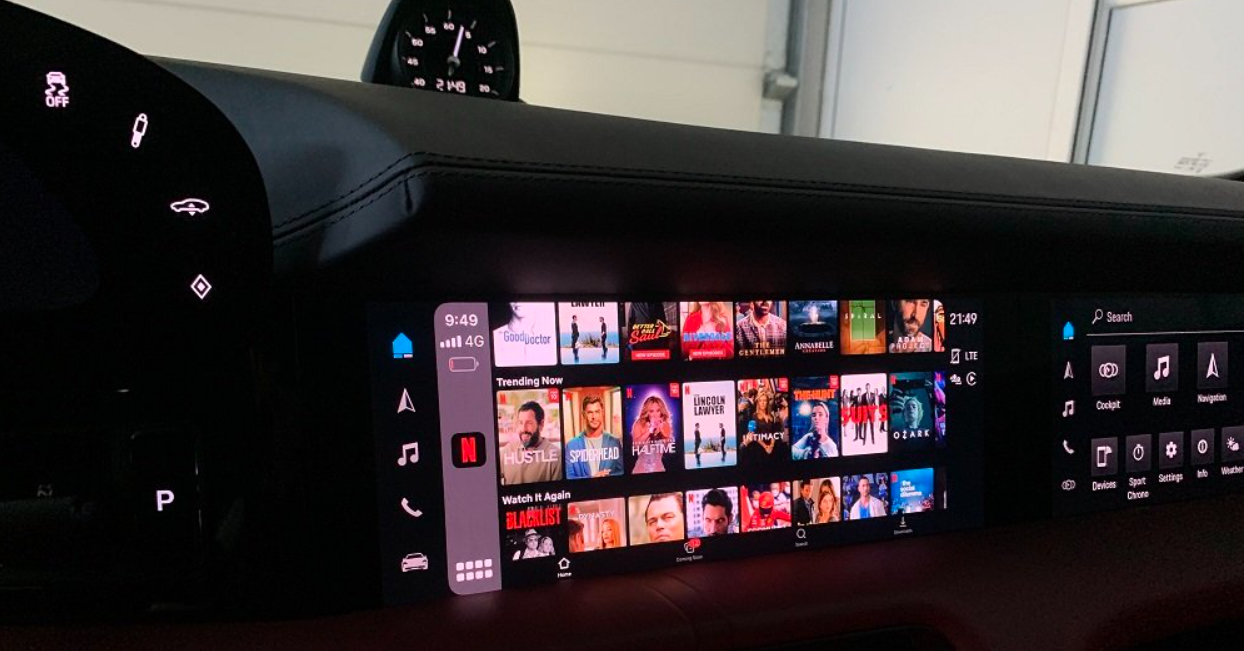
If you are a car owner and you are on the road a lot, you have likely experienced the frustration of owning a nice high-definition screen in your dashboard that is basically “locked” to a limited set of functions for navigation and music. While native factory (OEM) wired CarPlay / Android Auto is great for safety and maps, it purposely is limited on the multimedia side. You can’t stream your favorite shows or watch music videos natively, either.
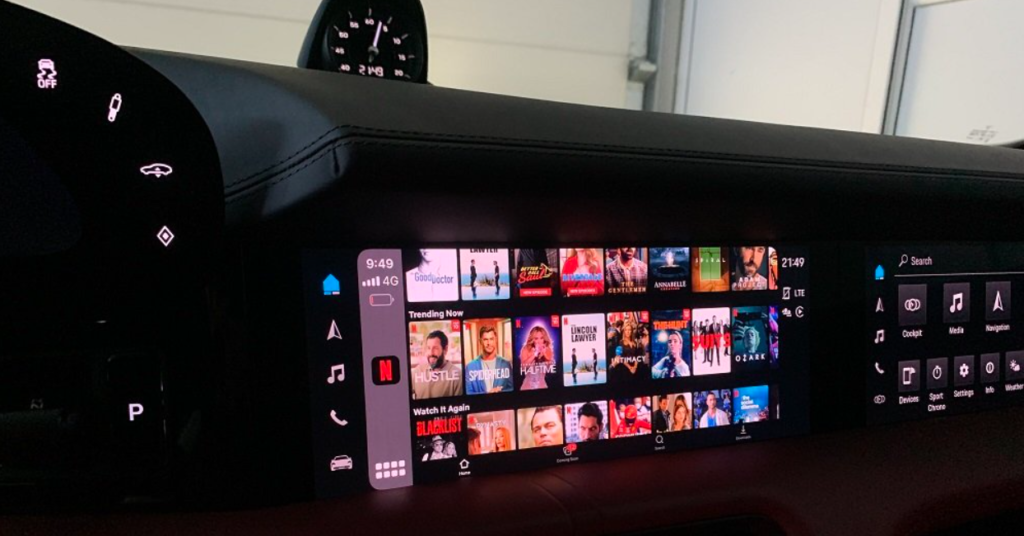
This is where a Car Netflix Adapter—specifically a Carlinkit AI TV Box—changes everything. By leveraging your car’s existing wired connection, these devices bypass factory restrictions to install a full Android operating system on your dashboard.
In this guide, we will explore the three premier solutions from Carlinkit: the powerhouse TBox Ultra 2, the multi-screen capable TBox UHD, and the aesthetically striking LED Plus.
The Performance Leader: Carlinkit TBox Ultra 2 (Android 15)
For users who refuse to compromise on speed and want the most “future-proof” device on the market, the Carlinkit TBox Ultra 2 is the definitive choice. This is not just a simple adapter; it is a high-performance computer that fits in the palm of your hand.
Cutting-Edge Hardware
The Ultra 2 stands out by being one of the first in the industry to offer the Android 15 operating system. Most car adapters are still running older versions of Android, but the Ultra 2 provides the latest security patches and the most modern user interface.
At its core is the Qualcomm 6350 (SM6350) 8-core processor. This chipset is designed for high-efficiency multitasking. When you are streaming Netflix at 1080p while running a navigation app in the background, you need a processor that won’t overheat or lag. With 8GB of RAM and 128GB of internal storage, the Ultra 2 handles high-bitrate video streaming with ease.
Key Features of the TBox Ultra 2:
- Nano SIM & TF Card Support: You don’t need to rely on your phone’s hotspot. Insert a 4G SIM card directly into the box for independent internet access. You can also use a TF card (up to 256GB) to play downloaded movies offline.
- Redesigned Experience: The interface has been optimized for a “seamless in-car experience,” making the transition between your car’s original system and the Android environment feel natural.
- Built-in GPS: It features high-gain GPS (GPS, Beidou, Glonass, and Galileo) to ensure your navigation is accurate even if the box is tucked away in a glove compartment.
The Cinema Hub: Carlinkit TBox UHD (HD Output Support)
If your goal is to entertain not just the driver but the entire family, the Carlinkit TBox UHD is the specialized tool you need. While other boxes focus solely on the dashboard screen, the UHD model looks at the bigger picture.
The Power of HD Output
The standout feature of this model is its HD Output (HDMI) port. This allows you to mirror the Android interface to an external monitor. Imagine driving a large SUV: the TBox UHD is plugged into the front dash, but via an HDMI cable, it is also powering a headrest monitor or a ceiling-mounted screen in the back. Your passengers can watch Netflix in high definition while you navigate in the front.
Versatility Beyond the Car
Because it has an HD Output, the TBox UHD is effectively a portable media player. You can unplug it from your car and plug it into a TV at a hotel or a projector at a campsite, transforming any HDMI-compatible screen into a Netflix and YouTube hub.
Technical Highlights:
- Android 13.0 System: Provides a stable and familiar environment for all Play Store apps.
- Qualcomm 8-Core Chip: Ensures smooth playback of 4K-ready content and quick app launches.
- Independent 4G Connectivity: Like the Ultra 2, it supports SIM cards to keep the backseat entertainment running without draining your phone’s battery.
The Atmosphere Creator: Carlinkit LED Plus (Ambient Lighting)
For many car enthusiasts, the “vibe” of the interior is just as important as the technology under the hood. The Carlinkit LED Plus is designed for those who want to upgrade their entertainment while adding a touch of glamour to their vehicle’s cockpit.
Personalized Ambient Lighting
The “Plus” in this model refers to the integrated LED ambient lighting. The box features customizable light strips that can be set to different colors and modes. At night, this creates an immersive entertainment effect, syncing the visual mood of your car with the video you are watching.
Balanced Performance
Don’t let the stylish exterior fool you; the LED Plus is a workhorse. It is powered by the Qualcomm 6125 (Snapdragon 665) 8-core chip. With 4GB of RAM and 64GB of storage, it provides a very reliable experience for the most popular apps like Netflix, YouTube, and Disney+.
Why Choose the LED Plus?
- Sleek Design: It is designed to be seen, not hidden, making it a stylish addition to your center console.
- Wireless 3-in-1 Functionality: It converts your wired CarPlay into wireless CarPlay, wireless Android Auto, and an independent Android system.
- Dual Bluetooth: It supports BT 4.2 (for phone calls and music) and BT 5.0 (for connecting external devices like a Bluetooth remote or a game controller).
Everything You Need to Know Before Buying
While these Carlinkit AI Boxes are revolutionary, they have specific requirements to ensure they work correctly in your vehicle.
The Wired CarPlay Requirement
Strictly Note:These devices are only compatible with vehicles that come equipped with wired CarPlay or wired Android Auto. If your vehicle only has wireless CarPlay, or no CarPlay at all, these adapters will not be able to connect with your infotainment system. They use the data channel of the wired CarPlay port to transmit Android video signals.
Incompatible Brands
Currently, these Carlinkit AI Boxes are not compatible with BMW or Tesla models. These manufacturers use different system architectures that do not support the communication protocols used by these adapters.
The “3-in-1” Advantage
When you purchase one of these boxes, you aren’t just getting a Netflix player. You are getting three distinct functions in one small device:
- Independent Android System: Browse the web, watch Netflix, or play games.
- Wireless CarPlay: No more plugging in your iPhone every time you get in the car.
- Wireless Android Auto: Seamless wireless connection for Android phone users.
Step-by-Step: How to Set Up Your Carlinkit AI Box
One of the biggest selling points for these products is the Plug-and-Play installation. You do not need to be a mechanic or a software engineer to set this up.
- Connect the Hardware: Plug the Carlinkit box into the same USB or USB-C port you usually use for wired CarPlay.
- Wait for Initialization: Your car’s screen will momentarily go dark or show a “Connecting” message. Within seconds, the Carlinkit Android interface will appear.
- Connect to Internet: You have two choices. Either insert a 4G SIM card into the device’s slot for a permanent connection, or go to the settings and connect to your phone’s Wi-Fi Hotspot.
- Log In and Stream: Open the pre-installed Netflix or YouTube app, log in to your account, and enjoy. You can also visit the Google Play Store to download additional apps like Spotify, Hulu, or even games.
Conclusion: Which Model is for You?
Transforming your car into a mobile entertainment hub has never been easier. Depending on your needs, one of these three Carlinkit models will be the perfect fit:
- Choose the TBox Ultra 2 if you want the absolute best performance, the most storage (128GB), and the latest Android 15 software.
- Choose the TBox UHD if you have backseat passengers or headrest monitors and need the HD Output (HDMI) functionality.
- Choose the LED Plus if you want a reliable streaming experience with the added aesthetic of personalized LED ambient lighting.
Stop being limited by factory software. Upgrade your drive and enjoy the freedom of a full entertainment system right on your dashboard.