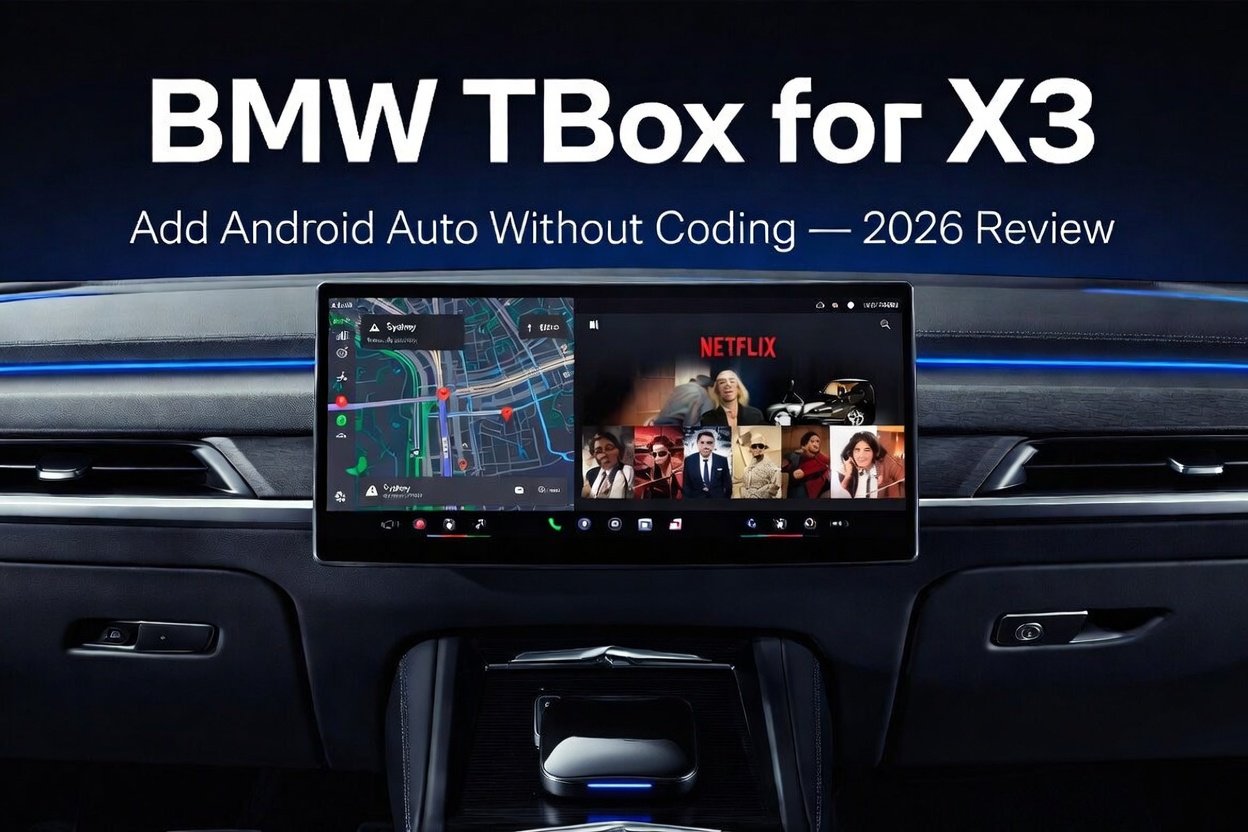
BMW TBOX
FOR X3
ZERO CODING
Not an Adapter.
A Second Brain.
The TBox is not a standard wireless CarPlay adapter. It's a standalone Android 13 computer powered by a Qualcomm Snapdragon processor that slots into your X3's USB port and runs completely independently — no phone required. For the full technical breakdown of why factory Android Auto hits a hard ceiling, read: Why Your BMW Wireless Android Auto Isn't Enough in 2026 →
Standard Wireless CarPlay Adapter
Removes the cable, but your phone still does all the work. Overheating or low battery will kill the connection mid-drive.
How the BMW TBox Works
Phone stays in your bag. All processing runs on the TBox's own Qualcomm chip — independent of your phone's temperature or battery level.
Full Android 13 Ecosystem
Google Maps, YouTube, Spotify, Netflix — all running natively on the TBox, not projected from your handset.
Zero Coding Required
No BMW coding tools. No OBD interface. No dealership visit. Under 10 minutes from unboxing to fully running.
8-Core
128GB Internal
4G LTE (SIM slot)
BeiDou Tri-mode
Up to 256GB
Which X3 Models
Are Supported?
One non-negotiable requirement: your BMW X3 must have factory wireless Apple CarPlay. The TBox enters through the wireless CarPlay channel, then launches Android 13 on top of it. Running an older iDrive 6? See our dedicated BMW TBox iDrive 6 Setup Guide →
| Generation | Years | iDrive | Compatible |
|---|---|---|---|
| G01 (facelift) | 2021–2024 | iDrive 7 | ✓ Yes |
| G08 (LWB) | 2020–2024 | iDrive 7 / 8 | ✓ Yes |
| G45 (new X3) | 2024–2025 | iDrive 8 / OS9 | ✓ Yes |
| G01 (pre-facelift) | 2018–2020 | iDrive 6 | ✓ Wireless CarPlay must be enabled |
Up and Running
in 10 Minutes
No tools. No disassembly. No dealership appointment. In the box: TBox unit · USB-A to USB-C cable · Quick start guide.
Find the Right USB Port
Your X3 has two USB-A ports in the centre console armrest. Use the front-facing data port, not the rear charging port. Plugging into the charge-only port produces no response — this is the most common installation mistake.
Plug In the TBox
The device powers on automatically with the ignition. First boot takes 45–60 seconds. A brief screen flicker is normal during initialisation.
Pair Your Phone (First Time Only)
Open CarPlay on your phone and select the TBox from the device list. One-time pairing takes around 30 seconds.
Android 13 Launches on Your iDrive Screen
Every subsequent start auto-connects. Boot time drops to under 20 seconds once paired. All factory iDrive features stay accessible via the on-screen floating toggle.
Connect to the Internet
Use your phone hotspot (easiest for most people), or insert a nano SIM for fully standalone connectivity — no phone needed at all.
3 Weeks of Mixed
Urban & Highway Use
Test vehicle: 2022 BMW X3 xDrive30i (G01 facelift, iDrive 7). Testing covered daily urban commutes, extended motorway runs, and two EV charging stops totalling around 90 minutes of Netflix streaming.
Cold start to usable screen — consistent every time
GPS lock time after boot
Disconnects across a 4-hour motorway run
Sweet spot for smooth Netflix / YouTube playback
Android Auto on my X3 was a coin flip. Some days perfect, some days three dropouts before I even hit the motorway.
→ Follow-up after 6 weeks with the TBox:
I genuinely forgot it was even there. It just works, every single time.
TBox vs Factory
Android Auto
Newer X3 models — especially the G45 on OS9 — ship with wireless Android Auto from the factory. The gap isn't navigation; both handle that fine. The gap is everything else your screen could be doing. See our full BMW MMB Box vs Stock Android Auto comparison →
| Feature | Factory Android Auto | BMW TBox |
|---|---|---|
| Google Maps / Waze | ✓ | ✓ |
| Spotify / Apple Music | ✓ | ✓ |
| YouTube / Netflix | ✗ Blocked | ✓ Native |
| Full Google Play Store | ✗ | ✓ |
| Split-Screen Multitasking | ✗ | ✓ |
| Runs Without Phone | ✗ | ✓ |
| Phone Battery Drain | High | None |
Honest Assessment
- True plug-and-play — no tools, no coding, no dealer visit
- Full Android 13: Google Play, Maps, YouTube, Netflix, Spotify
- Split-screen: navigation + entertainment simultaneously
- One-tap toggle back to iDrive — all factory features always accessible
- Zero BMW warranty impact (external USB, no ECU changes)
- 2-year warranty + lifetime OTA firmware updates
- Requires factory wireless CarPlay — wired-only models need a one-time activation step first
- Streaming needs a data source (phone hotspot or optional SIM — SIM not included)
- Video playback while driving is locked by default for road safety compliance
Frequently Asked
Questions
Ready to Upgrade
Your X3?
Go to iDrive → Settings → Connections → Apple CarPlay. If it says "Wireless" — you're ready to order. That one check eliminates almost every compatibility issue.
✦ View BMW X3 TBox Product Page