

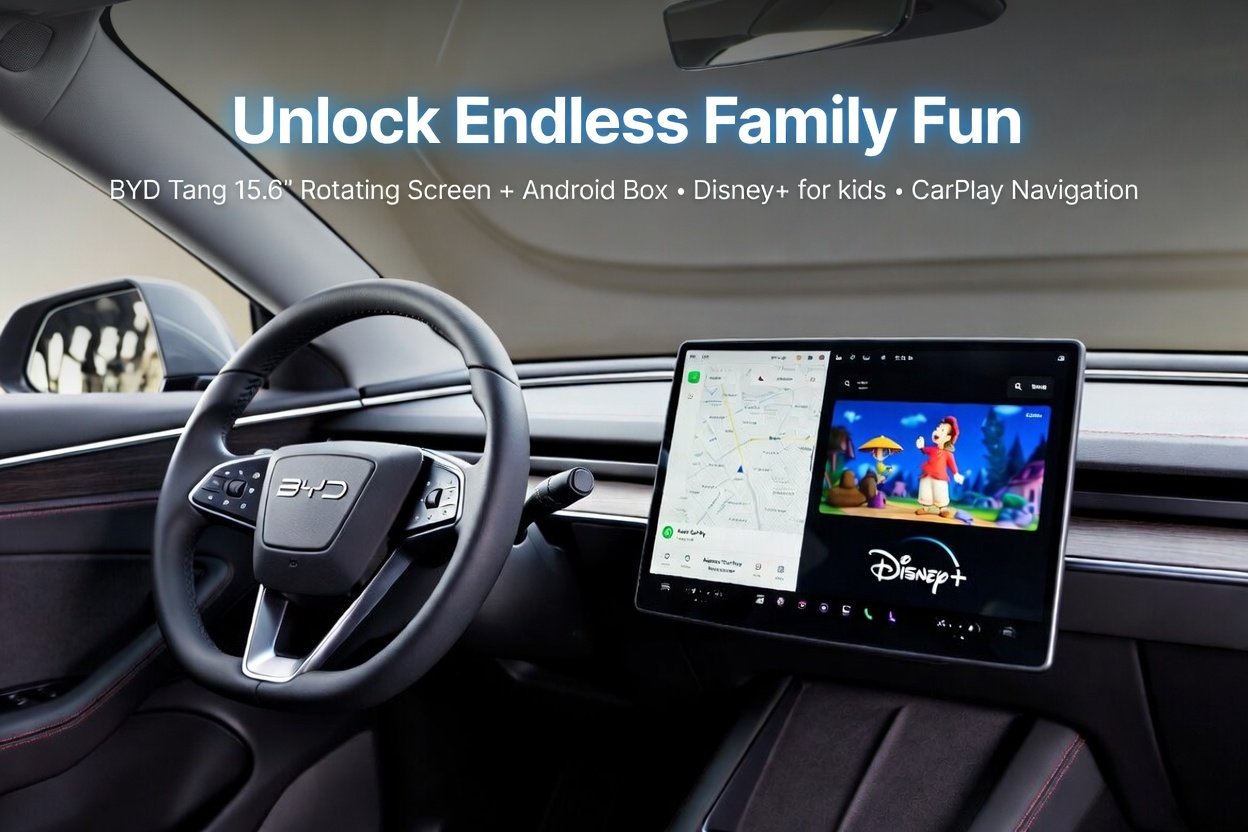
If you drive a BYD Tang, you already know it is one of the most technologically advanced SUVs on the road today. While the factory wireless CarPlay is incredibly convenient for navigation and music, it has one major limitation: the walled garden.
Apple's ecosystem is designed for safety, which according to Apple’s official CarPlay guidelines, strictly blocks video-based apps. But what if you're waiting at an Evie or Jolt charging station? Your massive 15.6-inch screen effectively becomes a glorified map display.
The good news? You can now perform a “functional add-on” without hacking your car’s software. By using the BYD Wireless CarPlay Android Box Multimedia, you keep your original wireless CarPlay while adding a fully independent Android system.
Why Your BYD Tang Screen Deserves More Than Just CarPlay
The BYD Tang’s signature feature is its 15.6-inch rotating intelligent screen. It is a high-definition cinema display sitting in your dashboard. However, when you rely solely on standard CarPlay, you only use about 30% of its potential.
Our hands-on testing confirmed this: Last month, we took a BYD Tang to a local coastal lookout. While the factory CarPlay kept our navigation spot on, we couldn’t even open a simple weather radar app. Our BYD Dedicated Multimedia Box fixed this instantly.
Expert Insight: Unlike generic adapters, this box is optimized for the BYD DiLink protocol, ensuring that when the screen rotates, the video app doesn’t crash or stretch. For a deeper dive into this, check our complete review of the BYD rotating screen experience.
Key Features: BYD Dedicated Box vs. Standard Adapters
To help you understand why a dedicated solution is necessary for the Tang’s unique hardware, we’ve summarized the key differences:
| Feature | Factory BYD CarPlay | Standard AI Box | BYD Dedicated Multimedia Box |
| Netflix / YouTube | ❌ Blocked | ⚠️ Stretched / Laggy | ✅ Native Support |
| Screen Rotation | ✅ Supported | ❌ Often Crashes | ✅ Seamless Auto-Sync |
| App Store | ❌ None | ✅ Google Play | ✅ Google Play (Optimized) |
| Hardware | Car Built-in | Generic Chip | Qualcomm 8-Core (Snapdragon) |
| Warranty | 6-Year Vehicle | 1-Year Limited | 2-Year Comprehensive |
1. Download Anything via Google Play Store
This box features a built-in Android 15.0 ecosystem. You have full access to the Google Play Store to download Netflix, Disney+, and even TikTok.
2. Seamless Rotating Screen Integration
One of our customers, Mark from Queensland, mentioned that his previous “generic” box would display Netflix with huge black bars. This BYD-dedicated version scales perfectly in real-time, whether you are in Landscape mode for a movie or Portrait mode for social media.
Installation: One Plug, Endless Entertainment
The installation is 100% Plug-and-Play:
- The Connection: Plug the box into the USB-A or USB-C data port. Pro Tip: Ensure you use the port with the “Data” icon (usually the one closest to the driver) to avoid connection errors.
- Instant Access: Tap the “Apple CarPlay” icon on your DiLink screen.
- Independent Internet: Insert a 4G SIM card (Supports Telstra, Optus, and Vodafone bands: B1/B3/B7/B28) or connect to your phone’s hotspot.
Why Choose carlinkitfactory?
- 2-Year Warranty: We offer a full 2-year warranty. We stand by our Qualcomm components and provide firmware updates to ensure long-term stability.
- No Warranty Risk: As an external USB device, it does not void your BYD factory warranty. You aren’t “rooting” the car’s computer; you are simply using an authorized data port.
FAQ: Frequently Asked Questions
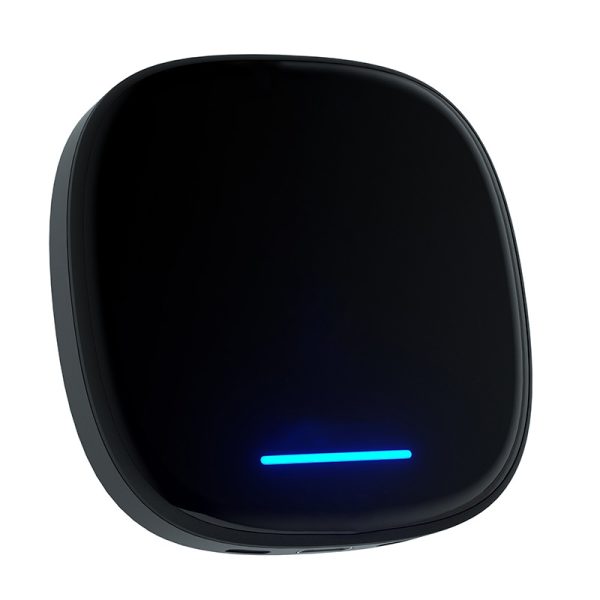
BYD Wireless CarPlay Android Box Multimedia Upgrade
- Qualcomm 8-Core Snapdragon · 8GB RAM + 128GB ROM
- Android 15.0 with Google Play Store access
- BYD DiLink optimized · Rotating screen auto-sync
- 4G SIM slot · Wireless CarPlay & Android Auto
- 2-Year Warranty · 30-Day Money-Back Guarantee
Free AU Shipping · Compatible with all BYD models with factory wireless CarPlay

