
CarPlay Hack – Unlock More Features on Apple CarPlay
Apple CarPlay is convenient, but many users feel restricted by its limitations. By default, CarPlay doesn’t allow video streaming, Android apps, or installation of third-party apps. A CarPlay Hack can unlock these features safely and easily. In this article, we will cover safe ways to hack CarPlay, compare the best AI Boxes, and help you choose the right device for your car.
What Is a CarPlay Hack?
A CarPlay Hack is any method that allows you to unlock additional features on your Apple CarPlay system. This can include watching videos, installing third-party apps, using Android apps, or enabling wireless connectivity. The most popular and safe way to hack CarPlay is using a CarPlay AI Box, which essentially replaces the CarPlay system with an Android OS without needing to jailbreak your iPhone.
Why People Want to Hack Apple CarPlay
Watch YouTube or Netflix
CarPlay blocks video streaming by default, but with an AI Box, you can stream YouTube, Netflix, or other media apps on your CarPlay display safely while parked.
Install More Apps
Apple restricts the apps you can install on CarPlay. A CarPlay Hack allows you to run any Android app, giving you full access to Google Play Store apps.
Use Android Apps
AI Boxes allow Android apps to run directly on your CarPlay screen, opening possibilities for productivity, maps, and games.
Add Wireless CarPlay
Some AI Boxes enable wireless CarPlay, eliminating the need for a cable connection and improving convenience.
3 Common Ways to Hack CarPlay
Method 1 – Jailbreak iPhone
Jailbreaking allows installation of CarPlay tweaks to unlock features. However, it’s risky, may void warranty, and iOS updates can disable it.
Method 2 – Use a CarPlay AI Box (Most Popular)
AI Boxes are plug-and-play devices that replace CarPlay with Android OS. They allow video streaming, app installation, and wireless connection, without jailbreaking your iPhone.
Best CarPlay AI Boxes for Hacking CarPlay
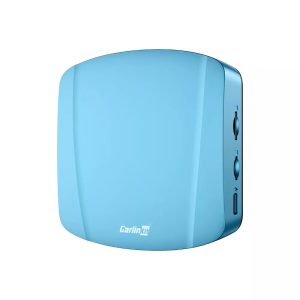
Carlinkit TBox Ultra Android 15
Features Android 15, 8GB RAM, 128GB storage, and supports wireless CarPlay with fast connectivity.
- Supports Android 15
- Wireless CarPlay
- Fast and stable
- Compatible with most cars
- Higher price point
- Requires some setup knowledge
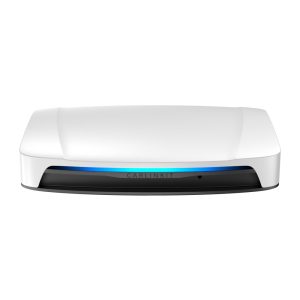
Carlinkit TBox UHD Android 13
Stable AI Box running Android 13, perfect for users seeking reliability and mid-range pricing.
- Stable and reliable
- Supports wireless CarPlay
- Good value
- Android 13 instead of 15
- Limited storage compared to Ultra
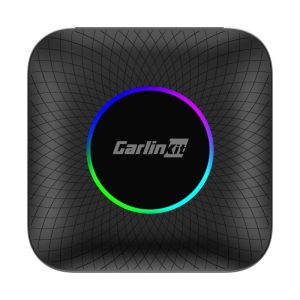
Carlinkit TBox Max
Entry-level AI Box for CarPlay, affordable and easy to set up, perfect for first-time users.
- Affordable
- Easy to install
- Supports wireless CarPlay
- Less powerful than Ultra
- Lower storage
CarPlay Hack vs Magic Box – Comparison
| Feature | CarPlay Hack | Magic Box / AI Box |
|---|---|---|
| Installation | Varies | Plug & Play |
| Apps | Limited | Full Android |
| Updates | Unstable | OTA updates available |
| Risk | High | Low |
Frequently Asked Questions
Yes, by using a CarPlay AI Box, you can stream Netflix directly on your CarPlay screen while parked.
No, AI Boxes allow full functionality without jailbreaking your iPhone.
Most cars that support wired CarPlay are compatible with AI Boxes.
Typically, AI Boxes do not modify the car system and do not affect warranty, but always check with your dealer.
Final Thoughts
While jailbreaking your iPhone can unlock CarPlay features, it is risky and not recommended for most users. The safest and most effective method is using a CarPlay AI Box like the Carlinkit TBox Ultra, UHD, or Max. These devices unlock video streaming, app installation, and wireless CarPlay safely and reliably. Choose the device that fits your budget and enjoy a fully enhanced CarPlay experience.