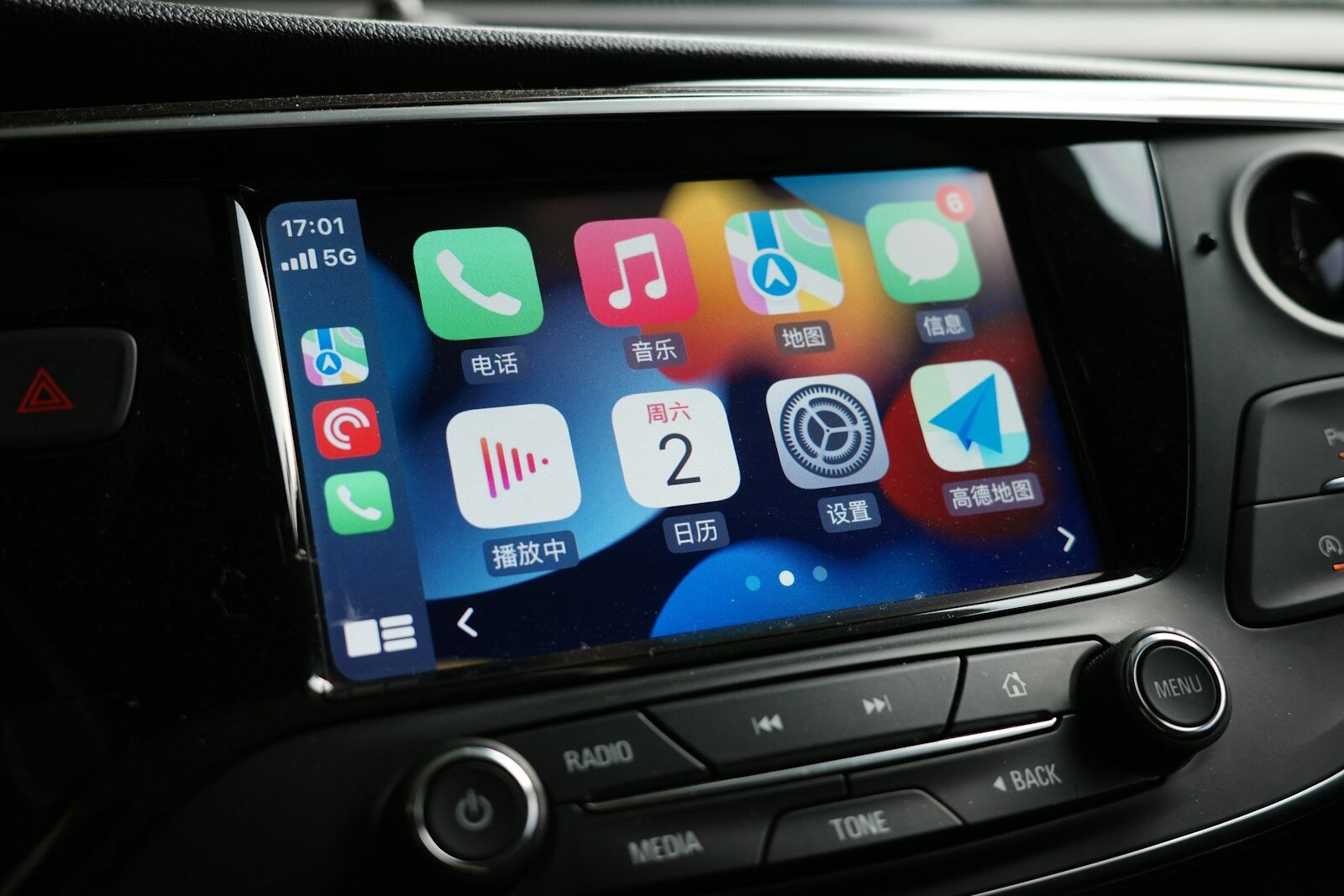
How to Upgrade Your Car With Wireless Apple CarPlay
Apple CarPlay has become a standard feature in modern vehicles, providing seamless access to maps, music, and messaging while keeping drivers focused on the road. But what if your car only supports wired CarPlay—or doesn’t support CarPlay at all? Wireless Apple CarPlay is the perfect solution for a cleaner dashboard and more convenient driving experience.
What Is Wireless Apple CarPlay?
Wireless Apple CarPlay allows your iPhone to connect to your car’s infotainment system without the need for a USB cable. Once connected, you can access:
- Navigation via Apple Maps or Google Maps
- Music streaming through Spotify, Apple Music, or other apps
- Hands-free phone calls and messaging
- Siri voice assistant for voice commands
The connection works through Bluetooth and Wi-Fi, making it a seamless and convenient upgrade for any compatible vehicle.
Why Upgrade to Wireless Apple CarPlay?
- Convenience: No need to plug in a cable every time you start your car.
- Cleaner Dashboard: Reduce cable clutter for a sleek interior.
- Instant Access: Apps, music, and calls launch faster.
- Modern Technology for Older Cars: Bring advanced infotainment to vehicles without built-in CarPlay.
Check Your Car’s Compatibility First
Before upgrading, check if your car supports wired CarPlay or Android Auto. You can verify via your vehicle manual, infotainment system settings, or the manufacturer’s website. Compatibility will determine whether a wireless adapter, portable display, or full aftermarket head unit is the best option.
Option 1: Use a Wireless CarPlay Adapter
If your car already supports wired CarPlay, a wireless adapter is the simplest solution. Just plug the adapter into the USB port, pair your iPhone via Bluetooth, and enjoy wireless CarPlay.
Recommended Wireless CarPlay Adapters

Carlinkit 4.0 Wireless CarPlay Adapter
Stable wireless connection, automatic reconnection, and OTA firmware updates ensure a seamless experience.

Carlinkit 5.0 2air Wireless CarPlay Adapter
Upgrade your wired CarPlay and Android Auto to wireless. Supports automatic reconnection and firmware updates for optimal performance.
Option 2: Install a Portable Wireless CarPlay Display
For cars without CarPlay support, a portable wireless CarPlay display provides touchscreen control, wireless connectivity, and optional audio integration via Bluetooth or AUX. It’s easy to install and requires no permanent modification.
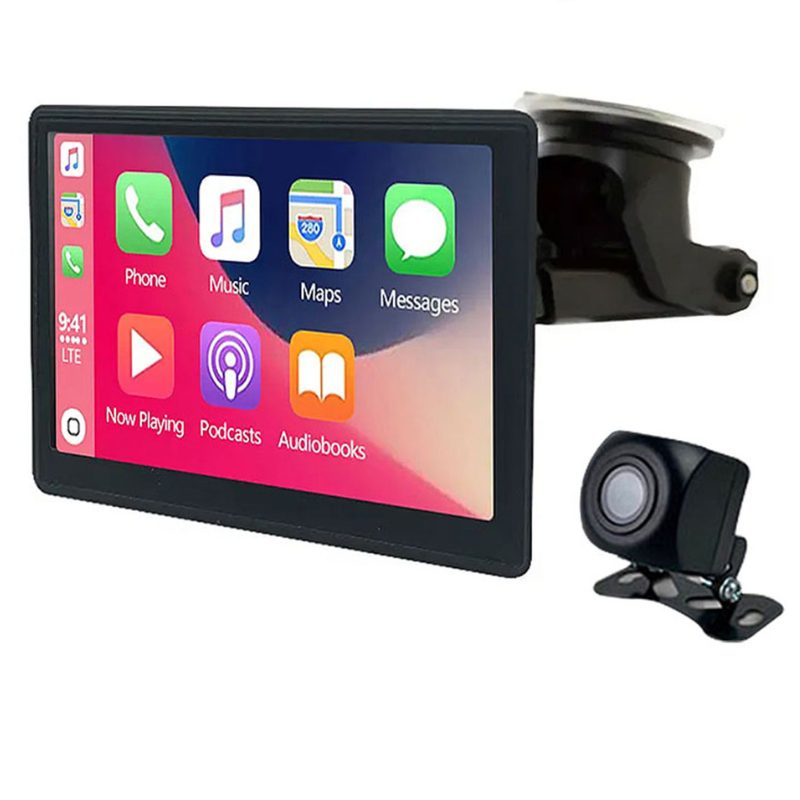
Wireless Apple CarPlay Dashboard Console with Reversing Camera
Includes a backup camera, universal compatibility, and quick installation for a portable CarPlay solution.
Option 3: Install an Aftermarket CarPlay Head Unit
For a permanent upgrade, aftermarket head units replace the factory stereo. They offer larger touchscreens, built-in wireless CarPlay, improved audio, and multiple connectivity options. Professional installation may be recommended.
Wireless Adapter vs Portable Display vs Head Unit
| Type | Installation | Cost | Screen Size | Best For |
|---|---|---|---|---|
| Wireless Adapter | Plug-and-play | Low | Uses existing car screen | Cars with wired CarPlay |
| Portable Display | Easy mount | Medium | Small touchscreen | Cars without CarPlay |
| Aftermarket Head Unit | Professional recommended | High | Large touchscreen | Full upgrade for audio and display |
Tips for Choosing the Best Wireless CarPlay Upgrade
- Check vehicle compatibility before purchasing.
- Ensure the adapter or display supports stable Wi-Fi connection.
- Consider the screen size and interface convenience.
- Choose products with firmware updates for long-term support.
Common Problems With Wireless CarPlay
- Connection delays – often resolved with firmware updates.
- Wi-Fi interference – keep other devices away from the adapter.
- Compatibility limitations – verify your car model before purchasing.
- Battery drain – wireless CarPlay consumes more iPhone battery than wired.
FAQ About Wireless Apple CarPlay
Can older cars support wireless CarPlay? Yes, using wireless adapters or portable displays.
Is wireless CarPlay slower than wired? Modern adapters minimize lag, but slight delay may occur.
Does wireless CarPlay drain iPhone battery? It can consume slightly more battery than wired.
Is installation difficult? Most wireless adapters are plug-and-play and very simple to install.
Final Thoughts
Wireless Apple CarPlay significantly improves driving convenience. Depending on your car model and budget, you can choose a wireless adapter, portable display, or full aftermarket head unit. Reliable brands like Carlinkit provide firmware updates, stable connections, and excellent customer support to make your upgrade experience seamless.