Why Your Car Doesn’t Have Wireless CarPlay (And How to Fix It)
Apple CarPlay is an essential tool for modern drivers, allowing hands-free navigation, music, and messaging directly from your iPhone. While wired CarPlay is standard in many vehicles, Wireless CarPlay offers convenience by automatically connecting your phone without cables. Unfortunately, not all vehicles support this feature natively. In this guide, we explain the reasons why your car might not have Wireless CarPlay and provide step-by-step solutions to enable it.
Why Some Cars Don’t Have Wireless CarPlay
1. Older Car Models
Vehicles manufactured before 2016 often lack the hardware required for Wireless CarPlay. These cars only support USB-based connections, preventing Wi-Fi or Bluetooth simultaneous pairing needed for wireless operation.
2. Infotainment System Limitations
Even some newer models come with head units that only support wired CarPlay. Without the proper chipset and firmware, wireless connectivity is impossible.
3. Software Restrictions
Wireless CarPlay requires iOS 9 or higher. Certain cars restrict wireless support to premium trims or require a firmware update to unlock it.
4. Hardware Restrictions
Wireless CarPlay relies on both Wi-Fi and Bluetooth. Many older head units cannot handle both simultaneously, limiting them to wired connections only.
Solutions to Enable Wireless CarPlay
1. Upgrade Your Head Unit
Replacing your factory infotainment system with a modern aftermarket unit that supports Wireless CarPlay is the most reliable method. These units often support both Android Auto and Apple CarPlay, with improved stability and features.
2. Use a Wireless CarPlay Adapter
Adapters such as Carlinkit 4.0 or 5.0 plug into your existing wired CarPlay port and convert it to wireless. They are usually plug-and-play, compatible with most vehicles, and maintain a fast, stable connection.
3. Update Firmware
Make sure both your iPhone and the car infotainment system are updated to the latest firmware. Manufacturers sometimes release updates that improve wireless connectivity.
4. Reset and Re-pair Devices
Remove your car from your iPhone Bluetooth settings, restart both devices, and pair again. This simple step can resolve minor connectivity issues.
5. Check Compatibility
Not all vehicles are officially compatible with Wireless CarPlay. Before purchasing an adapter or upgrading your head unit, verify your car model.
Recommended Wireless CarPlay Products
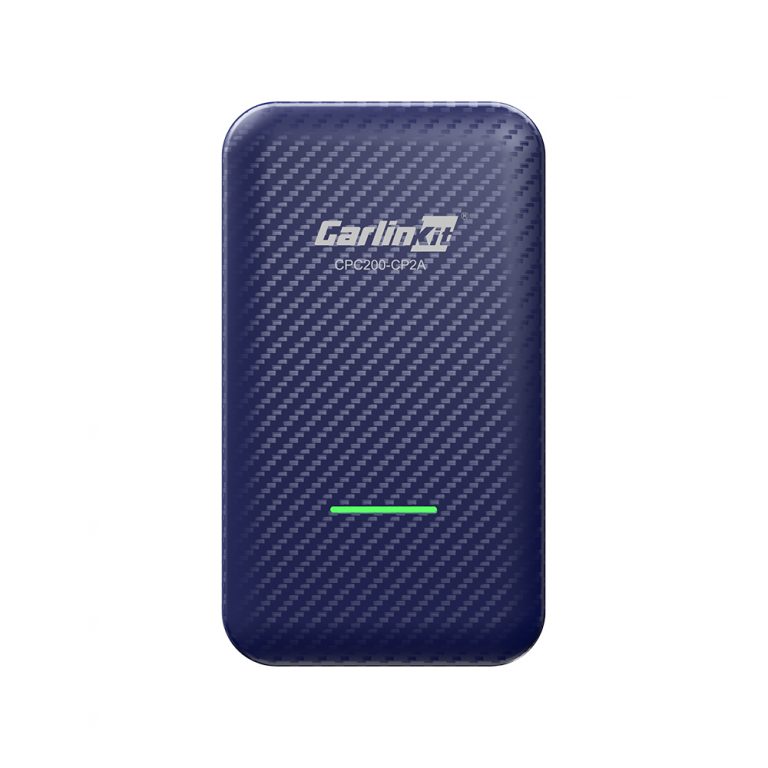
Carlinkit 4.0 Wireless CarPlay Adapter
Convert your wired CarPlay to wireless. Stable, fast connection and supports most car models.
- Converts wired CarPlay to wireless
- Fast and stable
- Plug-and-play installation
- Compatible with most cars
- Limited Android Auto support
- Some older cars may require firmware updates
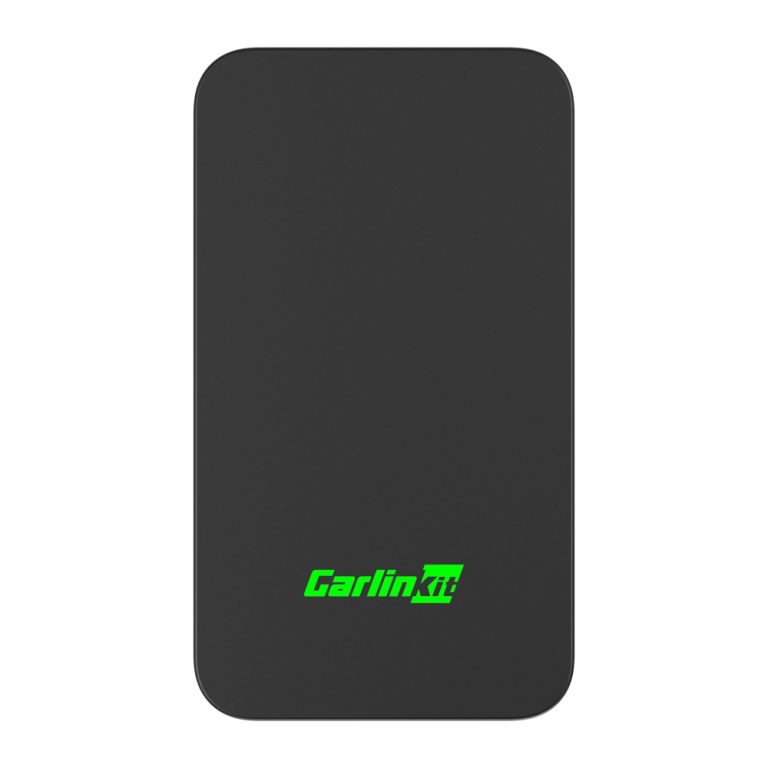
Carlinkit 5.0 Wireless CarPlay Adapter
Latest version adapter for converting wired CarPlay to wireless. Faster connection and improved compatibility.
- Supports more car models
- Faster connection than 4.0
- Stable and reliable
- Easy plug-and-play setup
- Higher cost than 4.0
- Limited Android Auto features
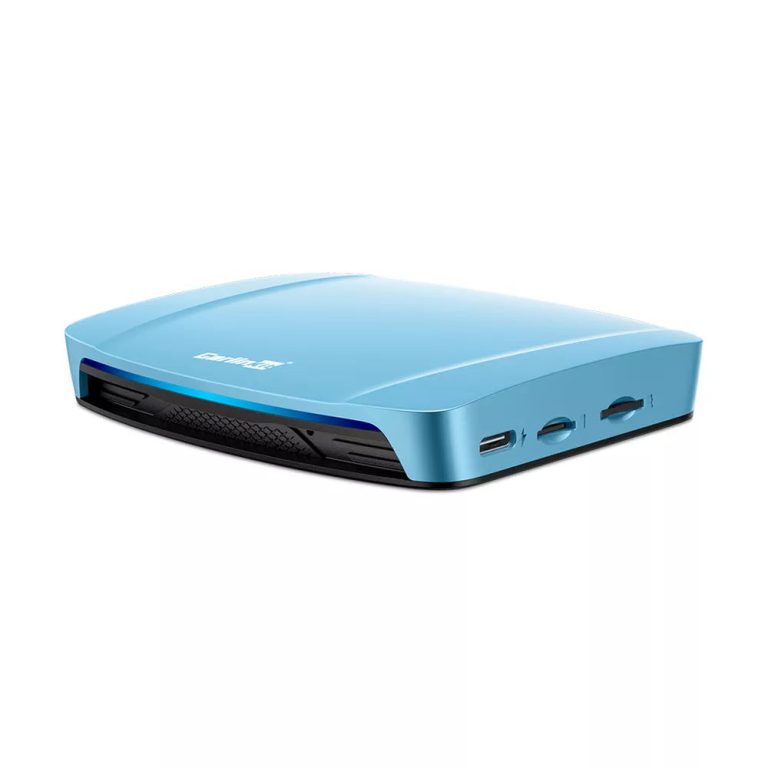
Carlinkit Tbox 4.0 Ultra Android 15 System
Advanced in-car multimedia system supporting wireless CarPlay, Android Auto, and full Android 15 OS. Ideal for upgrading any vehicle.
- Supports wireless CarPlay and Android Auto
- Full Android 15 OS experience
- Plug-and-play installation
- High multimedia performance
- Higher price than adapters
- Requires dashboard space
Comparison Table: Wireless CarPlay Solutions
| Product | Wireless CarPlay | Android Auto | OS | Price |
|---|---|---|---|---|
| Carlinkit 4.0 | Yes | Limited | N/A | $99.99 |
| Carlinkit 5.0 | Yes | Limited | N/A | $149.99 |
| Carlinkit Tbox 4.0 | Yes | Yes | Android 15.0 | $329.99 |
FAQ
Q1: Can I add Wireless CarPlay to any car?
A1: Yes, using adapters like Carlinkit 4.0 or 5.0, most cars with wired CarPlay can be upgraded to wireless.
Q2: Is installation difficult?
A2: No, these adapters are plug-and-play. Tbox 4.0 may require slightly more dashboard space but is still simple to install.
Q3: Will Wireless CarPlay work with Android Auto?
A3: Carlinkit adapters support limited Android Auto functionality, while Tbox 4.0 supports full Android Auto experience.
Q4: Do I need to update my iPhone?
A4: Yes, your iPhone should be running iOS 9 or higher for wireless CarPlay.
Q5: Can I use Wireless CarPlay while charging?
A5: Yes, adapters support simultaneous charging and wireless connection.
Conclusion
Wireless CarPlay significantly improves driving convenience and safety. If your car doesn’t support it natively, adapters like Carlinkit 4.0, 5.0, or a full Tbox 4.0 upgrade provide reliable wireless functionality. Choose the product that fits your car model, budget, and feature needs for a smooth, connected driving experience.